




How Super Cruise Delivers Real Hands Free Driving
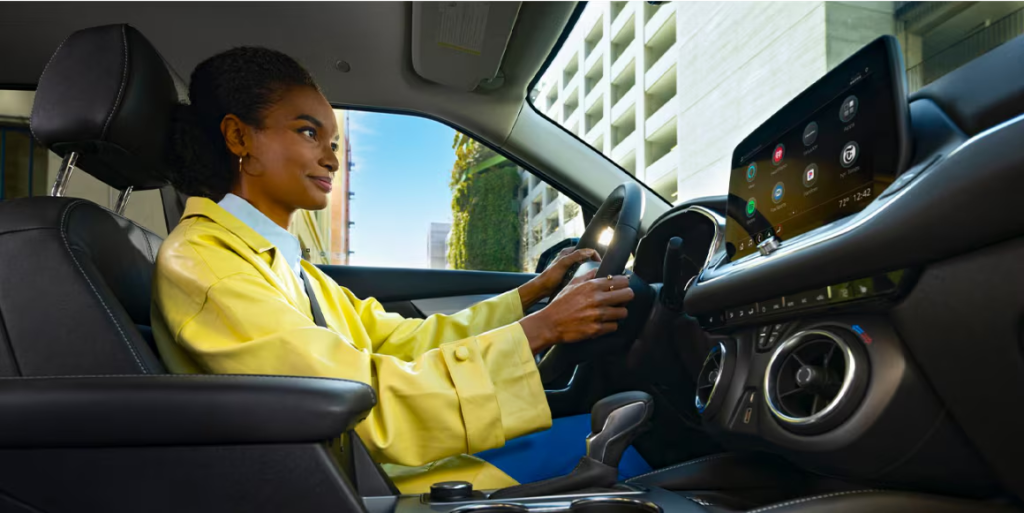
Super Cruise uses a combination of real time cameras, sensors, LiDAR map data, GPS and OnStar connectivity to enable hands free driving on compatible roads. It detects curves, monitors lane lines, tracks surrounding traffic and verifies that the driver is attentive. With an active Super Cruise plan or trial, the system manages acceleration, braking and lane centering to make long drives easier and more comfortable. There’s a lot to learn, but Ray Chevrolet is here to help.
Why Super Cruise won MotorTrend Best Hands Free Driving Tech
MotorTrend recognized Super Cruise for innovation, safety, real world value and ease of use.
- Innovation: Advances hands free capability and supports more Chevy models.
- Safety and Privacy: Designed to reduce misuse by monitoring attention and protecting data.
- Value: Offers measurable benefits that justify cost.
- Utility: Useful for daily commuters, long distance drivers and families.
- Intuitiveness: Simple three step activation that most drivers understand instantly.
Super Cruise features that matter to everyday drivers
- Lane Centering keeps the vehicle positioned between lane markings.
- Adaptive Cruise Control works with Super Cruise to hold a set gap in traffic.
- Forward Collision Alert must be active to support safe operation.
- Teen Driver mode must be turned off for Super Cruise to function.
- OnStar Emergency Services connects drivers with emergency certified advisors if needed.
What roads support Super Cruise hands free driving?
Super Cruise operates on one of the largest hands free driving networks in North America. Drivers using properly equipped Chevy models log over ten million hands free miles monthly. Compatible roads must have clear lane markings, unobstructed camera and radar visibility and conditions that allow the system to verify safe operation.
Turn Signal Activated Lane Change and Automatic Lane Change
Turn Signal Activated Lane Change allows the feature to check for an opening and change lanes when the signal is used. Automatic Lane Change monitors slower traffic ahead, signals, passes and returns to the lane once safe. Trailering is supported through Super Cruise’s trailer recognition system, which increases following distance when towing. Automatic lane change features do not operate while trailering.
How to use Super Cruise
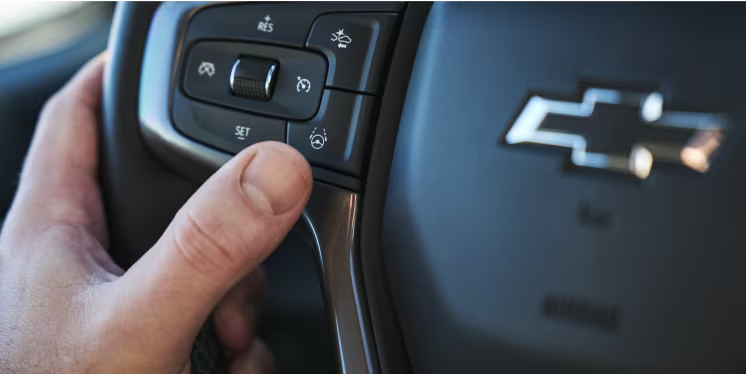
Step 1: Turn on Super Cruise when the white icon appears in the cluster.
Step 2: Wait for the steering wheel light and icon to turn green.
Step 3: Lift your hands and let the system handle acceleration, braking and lane centering on compatible roads.
Super Cruise uses precise positioning, sensors and map data to keep the drive smooth. When equipped, Ray Chevrolet can help drivers choose the right Chevy model with Super Cruise capability.
Visit Ray Chevrolet to explore new Chevrolet models with Super Cruise and see how this hands free technology can upgrade your daily drive.
Connect with us


- May 2026
- April 2026
- January 2026
- December 2025
- November 2025
- October 2025
- September 2025
- August 2025
- July 2025
- June 2025
- May 2025
- April 2025
- February 2025
- January 2025
- December 2024
- November 2024
- October 2024
- September 2024
- August 2024
- July 2024
- June 2024
- May 2024
- April 2024
- March 2024
- February 2024
- January 2024
- May 2023